Minecraft Circle Generator | MC Circle — Pixel Circle & Pentagon Tool
Turn a diameter into an exact block-by-block layout on MC Circle—built for Minecraft towers, domes, arenas, and pixel art.
Total blocks: 40
How To Use
Input diameter
Enter the width you need. For example, 10 means the generated layout is 10 blocks across. The preview updates instantly so you can try several sizes before you place the first block.
The reference canvas places blocks in Minecraft.
Use the canvas as a placement reference in game, or open it on your phone as a second screen. Keep the same row highlighted until that ring is finished, then move to the next.
Best Practices
Highlight the row or column you are building so you can track progress on large rings, pixel art, domes, towers, and future shapes such as a Minecraft pentagon. Export or screenshot the grid when you want to share the plan with friends.
Accurate block layouts for builders
Enter the desired diameter and the tool generates a clean circle grid. Place blocks in Minecraft from the reference, then click the canvas to mark your progress. The workflow fits survival bases, adventure maps, and creative megabuilds alike.
Row-by-row workflow for pixel circles
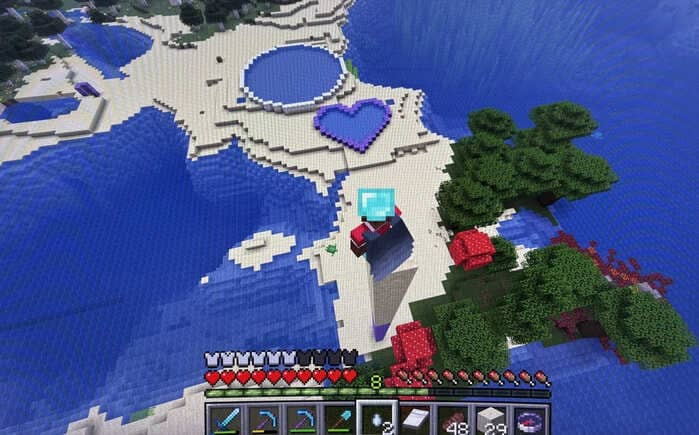
Most offsets change by one block at a time. Keep the webpage and game open together, select the current row or column, and follow the grid until the pattern becomes easy to build from memory. The same view helps when you scale a small motif into a larger arena floor.
Why builders use MC Circle
MC Circle is a free browser tool focused on accurate block layouts. Type a diameter, read the grid, and place blocks row by row until the ring closes. Unlike hand sketches, the preview shows every offset so towers, domes, farms, and spawn hubs stay round. Builders also use it for map art and floor mosaics where a planned radius must match in-world. Large diameters stay responsive on phone and desktop, with row and column highlighting so you never lose your place. When you outgrow a plain circle, the same canvas already supports ellipses and hearts, and Minecraft pentagon patterns are on the roadmap. Pair the tool with our diameter, size chart, and dome guides linked below for a full planning loop from idea to finished build.
Minecraft Circle Guides
These MC Circle guides go deeper on diameter math, build steps, common sizes, pixel-grid reading, and dome or tower rings. Use them with the free tool above when you want more than a quick preview.
- Diameter formula and block math
Learn how diameter maps to a block grid so your ring stays symmetrical.
- How to build a Minecraft circle step by step
A practical build order for placing rings in survival or creative with fewer mistakes.
- Common sizes for bases and arenas
Pick proven diameters for towers, farms, hubs, and pixel-art frames before you dig.
- Pixel circle grid guide for Minecraft art
Turn a grid layout into clean map art, logos, and floor patterns.
- Dome and tower circle rings
Stack circle layers into domes, spires, and round towers without uneven walls.